Skip to content
Dayclipse

Features

Everything Dayclipse does — and how it works.

Dayclipse calculates the Sun and Moon for tens of thousands of cities worldwide and presents them as a live sky, clear times and simple tools. Here is every feature in the app today.

Live sky

See the sky right now — and what's next

The home screen shows a live sky scene for your chosen city, with the Sun and Moon in their calculated positions and a sky color that follows the Sun's real altitude.

  • The next sky event with a live countdown
  • Current period, such as daylight or evening golden hour
  • A day timeline you can drag to preview any time
  • Step through days or pick a date up to two years ahead
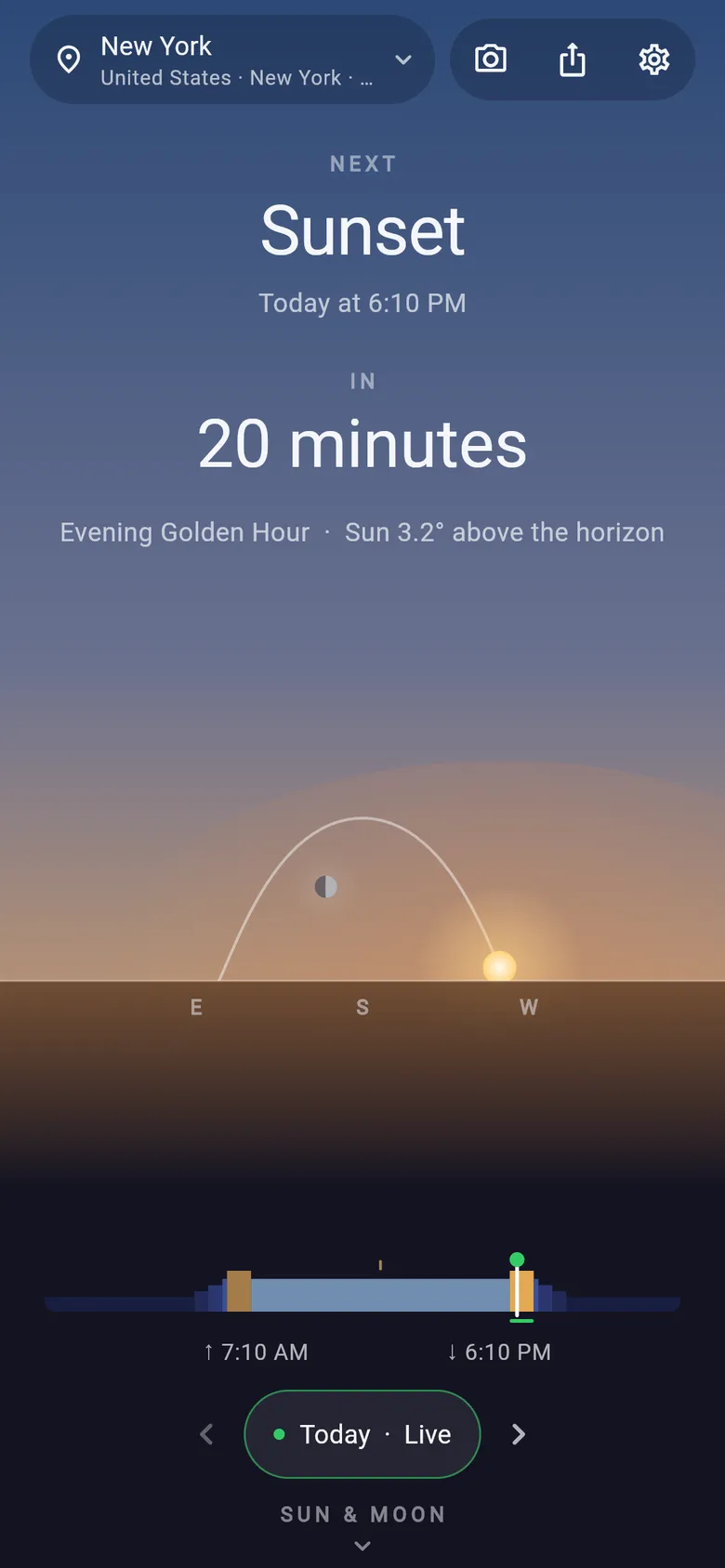
Dayclipse home screen for New York: next event Sunset at 6:10 PM in 20 minutes, evening golden hour with the Sun 3.2° above the horizon, a sky scene with the Sun and Moon, and the day timeline.

The Sun

Sunrise, sunset, golden hour and blue hour

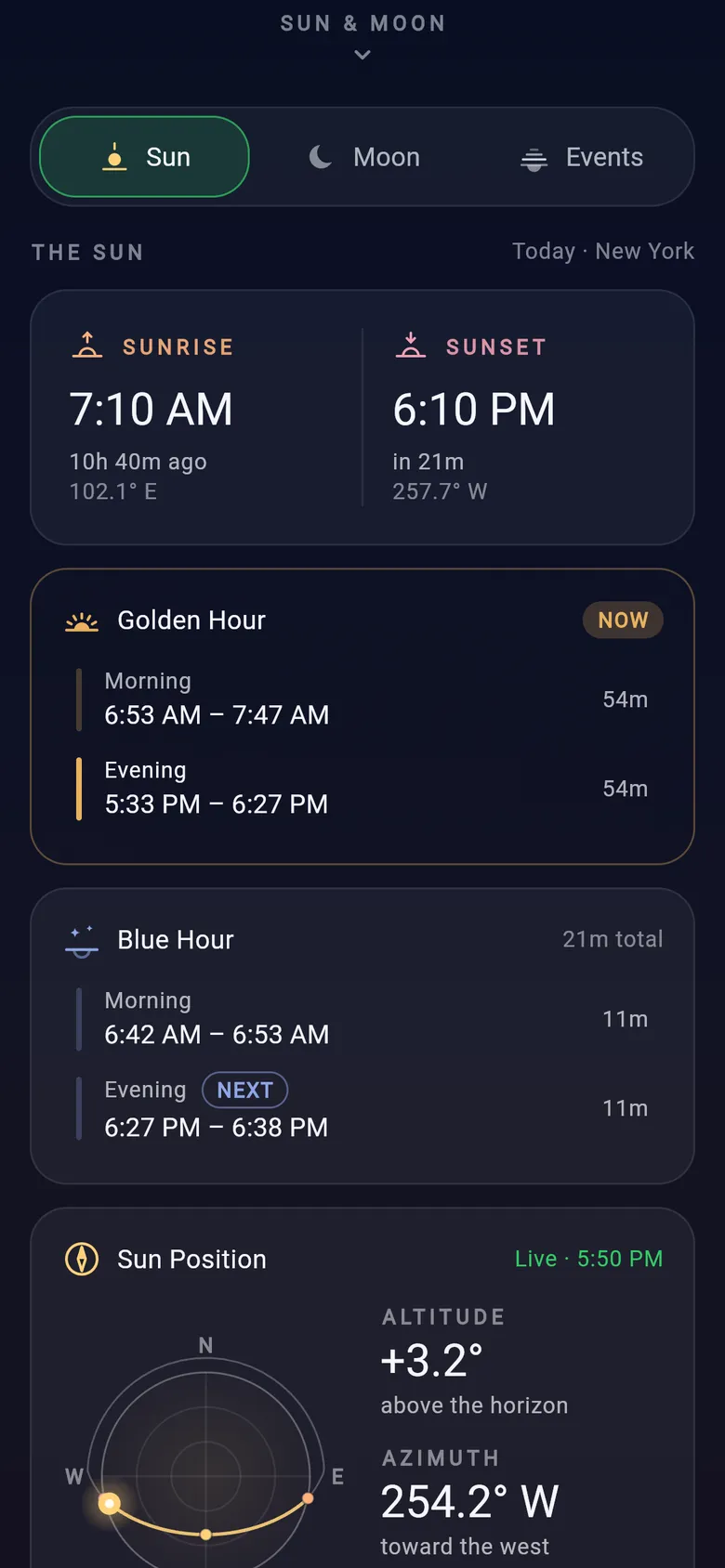
Open the Sun tab for the times that shape your day: sunrise and sunset, morning and evening golden hour, blue hour, solar noon and total daylight.

  • Golden hour: Sun between −4° and +6°
  • Blue hour: Sun between −6° and −4°
  • Solar noon with the Sun's maximum altitude
  • Live Sun altitude and azimuth

Times assume an ideal flat horizon; hills, buildings and weather can change what you actually see.

Dayclipse Sun tab: sunrise 7:10 AM and sunset 6:10 PM, morning and evening golden hour windows, blue hour windows and the Sun Position card.

The Moon

Moon phase, moonrise and moonset

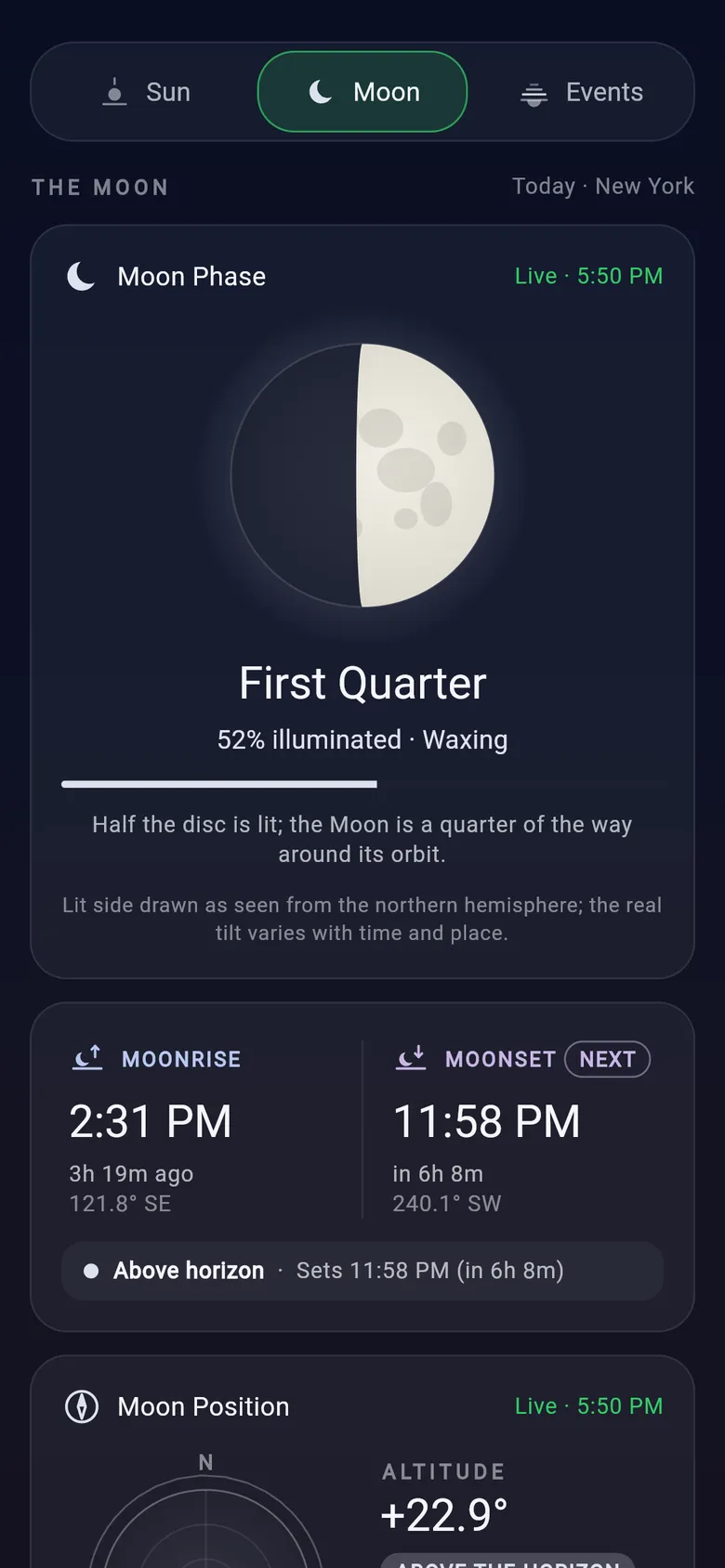
The Moon tab explains tonight's Moon: its phase and illumination, when it rises and sets, where it is in the sky and how its altitude changes through the day.

  • Phase name, % illuminated, waxing or waning
  • Upcoming new, quarter and full Moon times
  • Moon age and Earth–Moon distance
  • A monthly lunar calendar and a simple observing guide

The observing guide is based on geometry only — it doesn't know about clouds or terrain.

Dayclipse Moon tab: First Quarter Moon, 52% illuminated and waxing, with moonrise at 2:31 PM and moonset at 11:58 PM.

Sky events

Every twilight phase, in one timeline

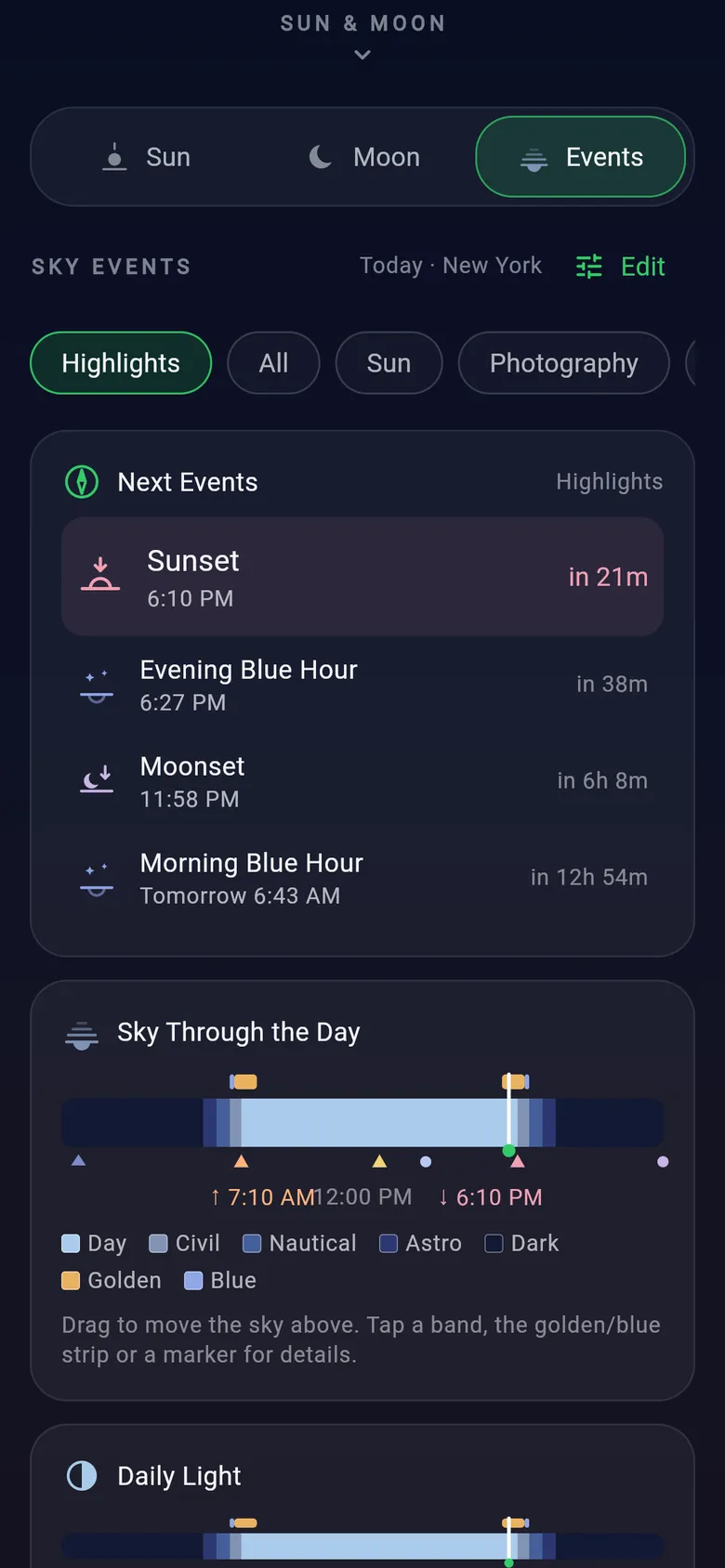
The Events tab lists the day's sky events in order and draws them on a layered timeline — daylight, civil, nautical and astronomical twilight, darkness, golden and blue hour.

  • Next events at a glance
  • Filter by Highlights, Sun, Moon, Twilight or Photography
  • Daily totals for daylight, night and darkness
  • Choose and reorder what you see
Dayclipse Events tab: filter chips, the next events list and the Sky Through the Day timeline with day, civil, nautical, astronomical, golden and blue bands.

Photography planner

A simple planner for golden and blue hour

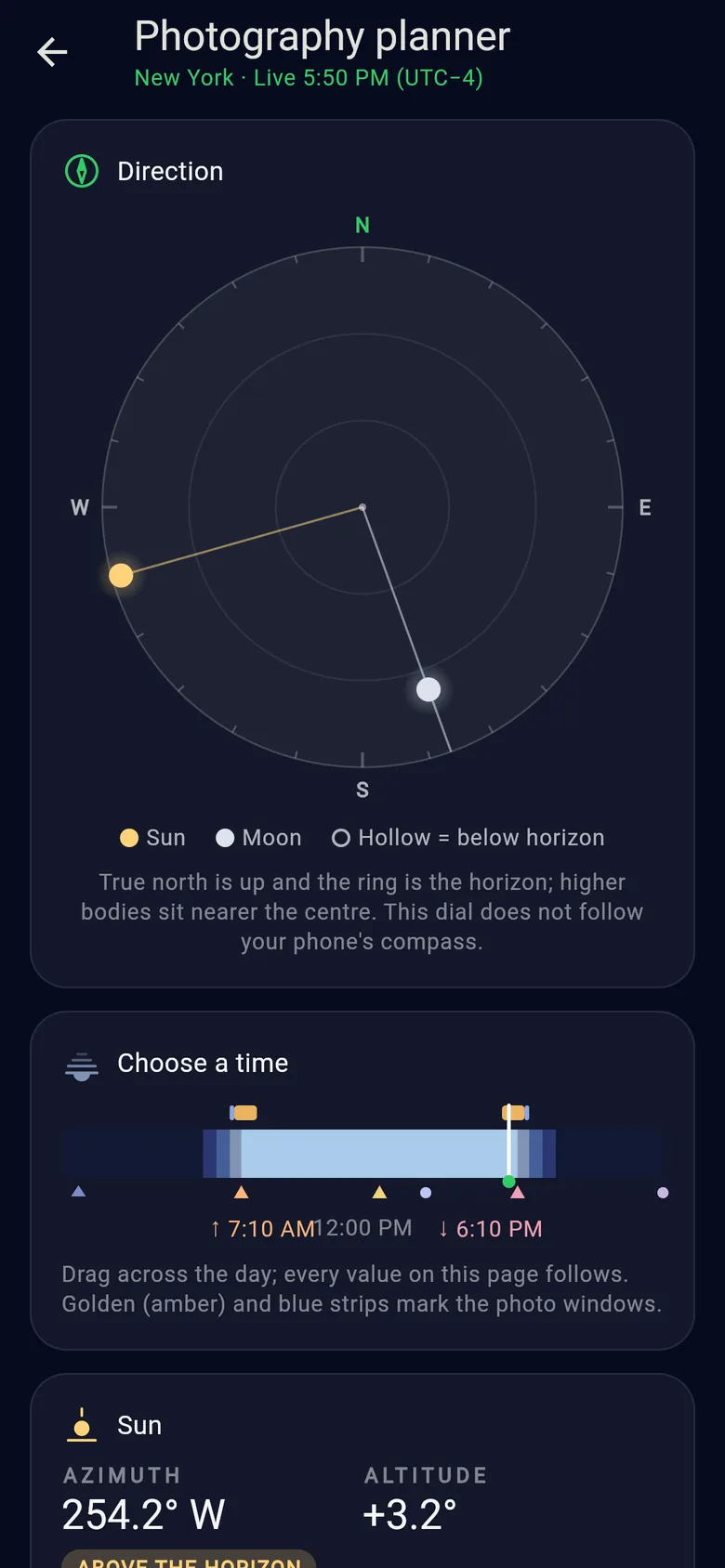
The photography planner puts the Sun and Moon on a true-north direction dial, lets you drag through the day, and lists the golden and blue hour windows for the selected date.

  • Sun and Moon azimuth and altitude
  • Time slider with golden and blue hour strips
  • Next sunrise, sunset or solar noon
  • Moon phase, moonrise and moonset

Dayclipse doesn't model terrain, clouds or haze, and doesn't suggest lenses or exposure settings.

Dayclipse photography planner: a true-north direction dial showing the Sun in the west and the Moon in the south, and a time slider with golden and blue hour strips.

AR Sky View & compass

Find the Sun and Moon in the real sky

On phones with a compass, the Sun and Moon dials turn to match the direction you're facing. AR Sky View goes further, overlaying the Sun, the Moon, their day paths, the true horizon and compass directions on your camera view.

  • True north from an offline magnetic model
  • Calibration help when accuracy is low
  • Sensor-only mode if you skip the camera
  • The camera image is never recorded or saved

Needs a magnetometer and motion sensors. Positions match your sky only when you're near the selected city. Never look directly at the Sun.

Illustration · not an app screen

Locations

Cities worldwide, even offline

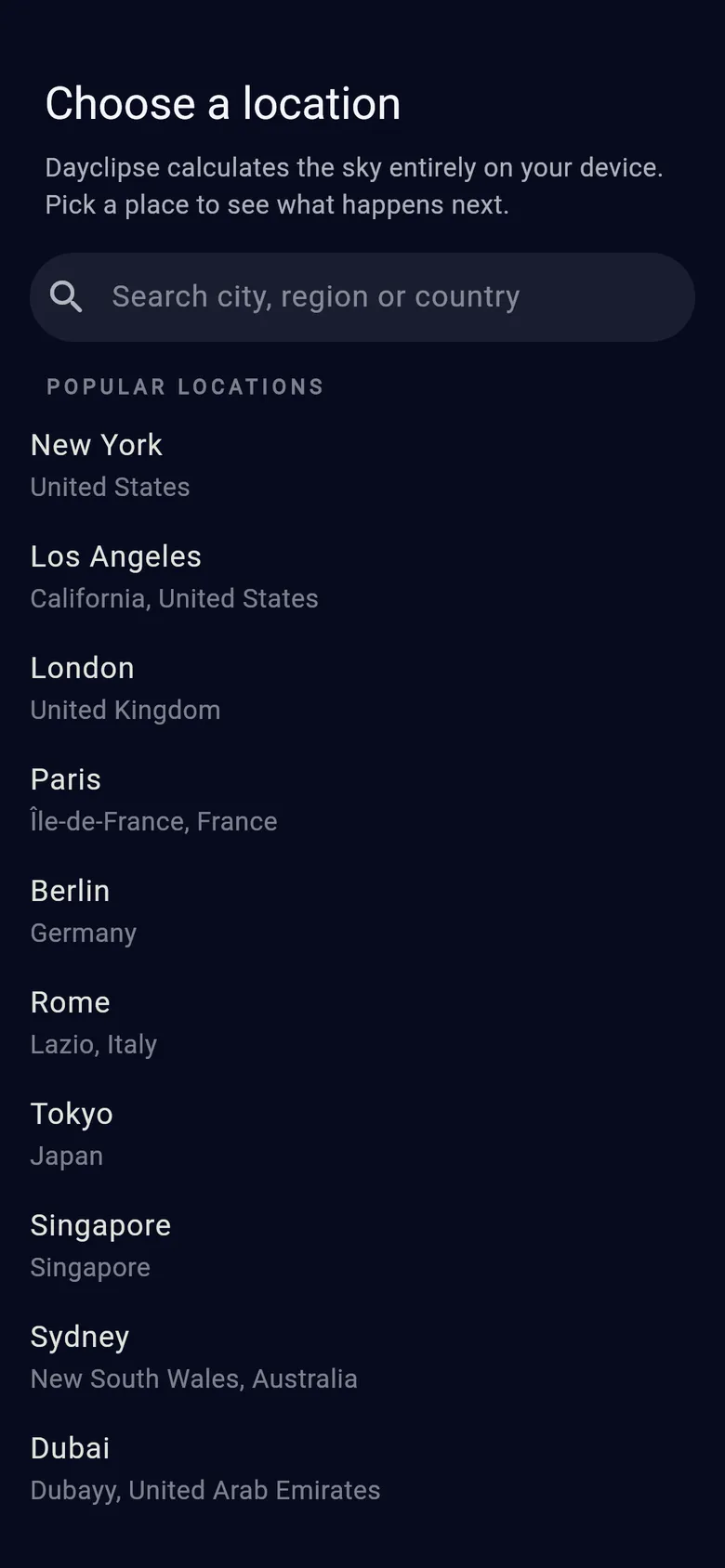
Search tens of thousands of world cities by city, region or country — the list is built into the app, so it works without a connection. Star the places you use most.

  • Offline city search
  • Favorite locations
  • Times shown in each place's own time zone
  • No GPS needed — you choose the place
Dayclipse Choose a location screen with a city search field and popular locations such as New York, London and Tokyo.

Share

Share a beautiful snapshot of the sky

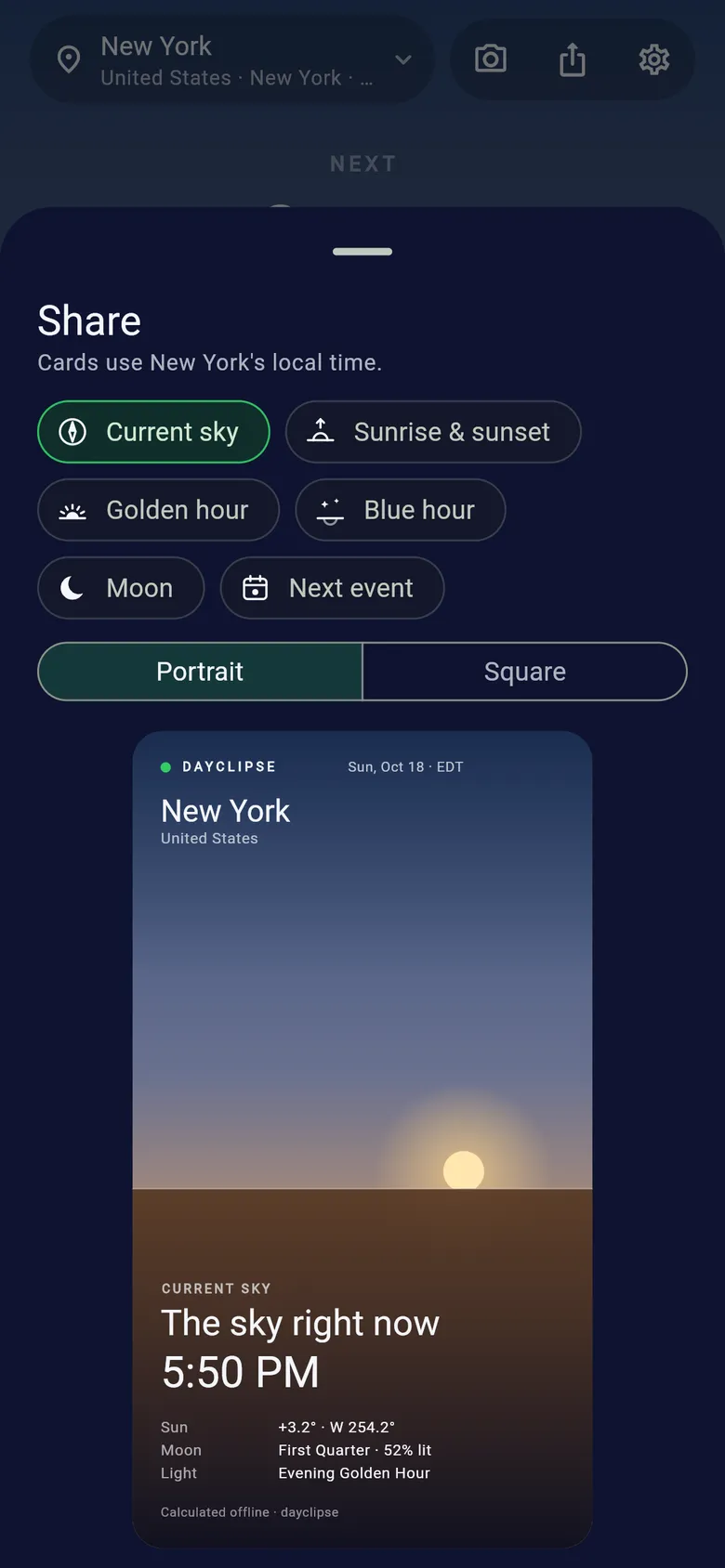
Create an image card for the current sky, sunrise & sunset, golden hour, blue hour, the Moon or the next event, then send it through your phone's share sheet.

  • Six card types
  • Portrait or square
  • Uses the selected place's local time
Dayclipse share sheet with card types (current sky, sunrise and sunset, golden hour, blue hour, Moon, next event), portrait or square format, and a preview card.

Make it yours

Settings that change how the sky reads

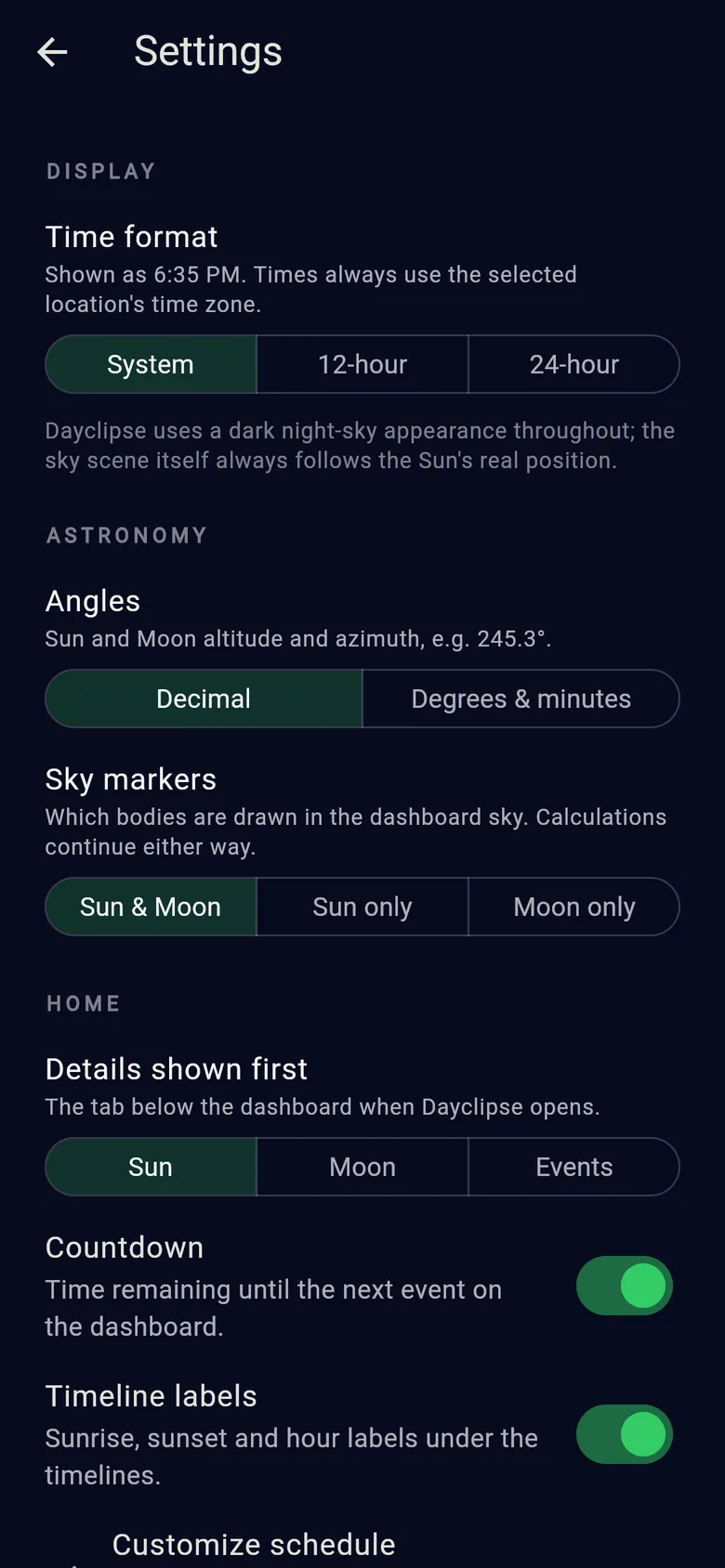
Choose 12- or 24-hour time, decimal or degrees-and-minutes angles, which bodies appear in the sky, the tab that opens first, and whether to show the countdown and timeline labels.

  • Display preferences
  • Astronomy notation
  • Home screen layout
Dayclipse settings: time format, angle notation, sky markers, details shown first, countdown and timeline label options.

What each feature needs

Every feature is built for both Android and iOS. Sensor-based features depend on your phone's hardware.

Feature requirements and platform availability
FeatureNeedsAndroidiOS
Sun & Moon times, phases and positionsNothing extra — works offline
Offline city search & favoritesNothing extra — no GPS
Photography planner & share cardsNothing extra
Compass-aware Sun & Moon dialsPhone with a magnetometer (compass)
AR Sky ViewCompass and motion sensors; camera optional

You choose the place

Dayclipse works from the city you select rather than your GPS position, so results describe that city's sky.

An ideal horizon

Times and positions assume a flat horizon. Mountains, buildings, elevation and weather can change what you actually see.

Night-sky look

The app uses a single dark night-sky appearance, and its sky scene always follows the Sun's real position.

Carry the whole sky in your pocket.

Sunrise to moonset, golden hour to astronomical darkness — for cities worldwide, calculated on your phone.